

Tidy up entire folders.
Your Desktop, or any wasteland of a folder, named in one go.
Goodbye “Screenshot 2026-07-11 at 09.52.23”
Hello “Passive-Aggressive Roommate Note”
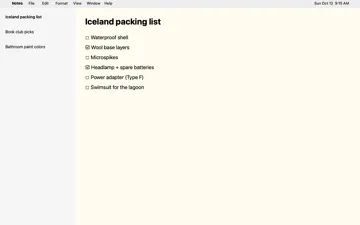
Behind the words, a Mac desktop full of screenshots with names like “Screenshot 2026-10-12 at 9.41.07 AM”. One by one they become “Passive-Aggressive Roommate Note”, “FaceTime Call with Crew” and “Harbor Street Coffee Order”.
Screenshots called things like “Screenshot 2026-10-12 at 9.41.07 AM” go into Nameshot’s icon one at a time, its eyes following each one, and come out the other side named “FaceTime Call with Crew”, “Iceland Packing List” and “Dentist Appointment”.
Press Shift Command 3, 4 or 5 like you always do.
With a pinch of local Apple Intelligence
One with human words!
Your files never leave your Mac.
The top of a MacBook with its Wi-Fi turned off. On its screen, the Screenshots folder and Nameshot, with arrows going both ways between them. One screenshot after another pops up out of the folder, Nameshot looks it over, and it drops back in with a proper name, all on the Mac.
Your Desktop, or any wasteland of a folder, named in one go.
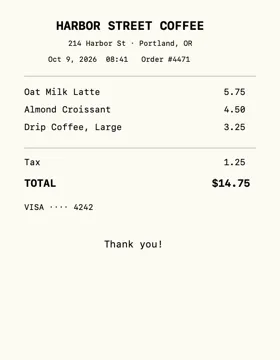 Harbor Street Coffee Order
Every rename can go back.
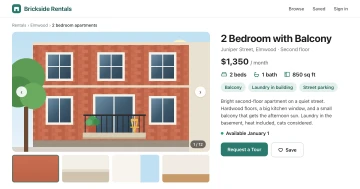
Correct it when it’s wrong and it’ll automatically adapt to your style.
Even that one folder.
Later
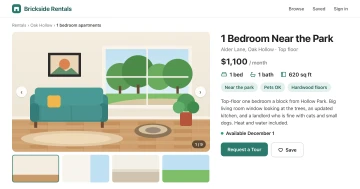
Over time, Nameshot learns via your corrections to be a better helper.
Swap the face for a scan line in Settings.
$4.99once
instead of $9.99Launch price
Try it free for 7 days.
Nothing to buy, nothing to cancel.
Needs a Mac with Apple silicon and macOS 27.
No. Nameshot reads your screenshots with Apple’s on-device model and renames them in place. There’s no account and no analytics, and it works with Wi-Fi off: apart from the App Store checking your purchase, it never goes online. The privacy policy has the whole story.
A Mac with Apple silicon and macOS 27. Names are best with Apple Intelligence turned on; without it, they come from the text in each screenshot. No screen recording or accessibility access: you just pick your screenshots folder.
Try Pro free for 7 days, with no subscription and nothing to cancel. I hope you’ll love it enough to buy it, but if you don’t, you can still drag files onto the little guy to rename them, and lots of other helpful features stay free.
Yes. In Settings, pick Short, Standard or Detailed names, and add the app’s name if you like (“… in Safari”). With Pro you can also put the date in, at the start so they sort, or at the end.
Yes. Press Undo in the pill, or pick any recent rename from Nameshot’s menu. Each file remembers its original name, so it can always go back.
No. Only the name changes. Its created, modified and added dates all stay as they were, so your folders sort just the same.
Try it free for 7 days.
Nothing to buy, nothing to cancel.